AI Receipt Scanner
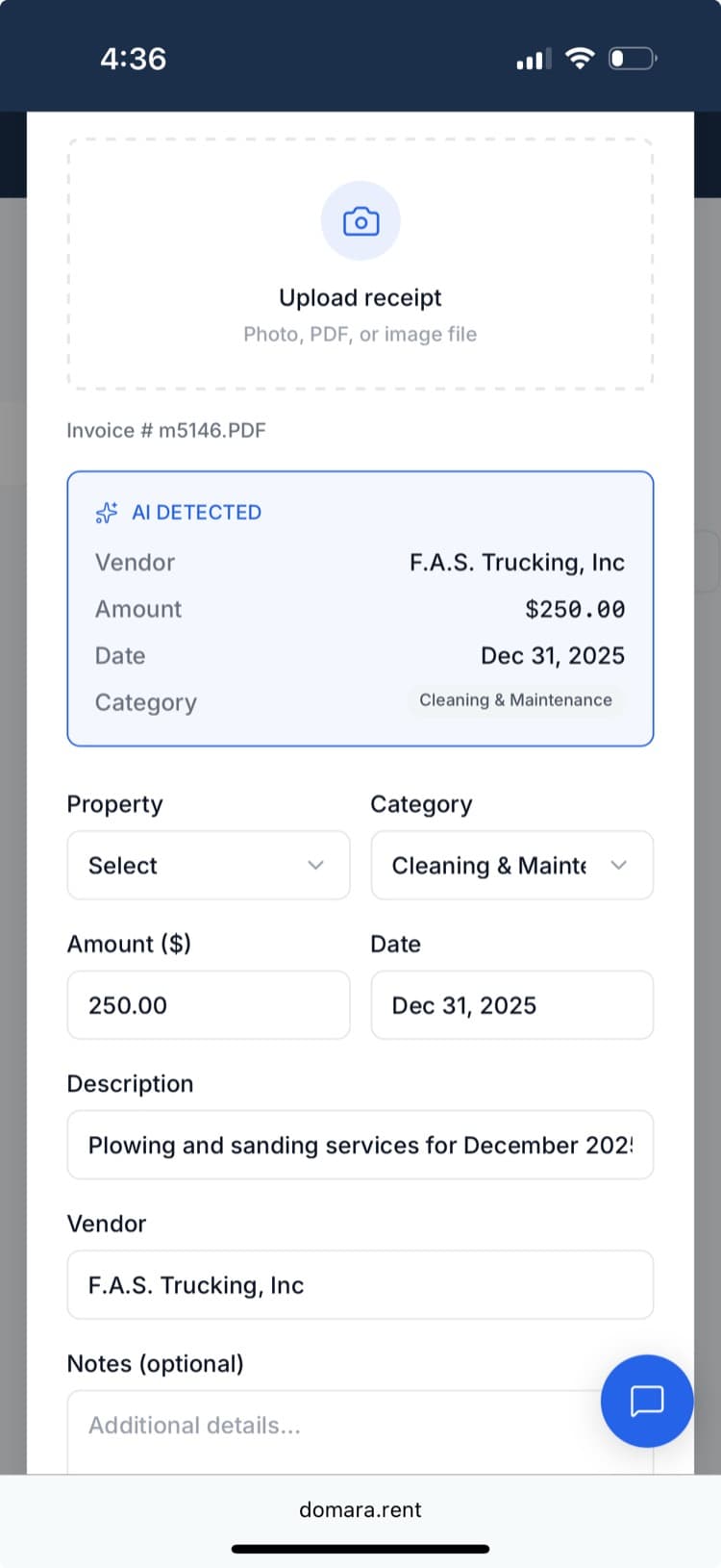
Snap a photo. AI pulls the vendor, amount, date, and category.
Take a photo of any receipt — hardware store, plumber's invoice, insurance bill. AI reads it and extracts the vendor name, amount, date, and IRS category. Review it, confirm, and the expense is logged. No typing. No guessing which Schedule E line it goes on.
How it works
Three steps. That's it.
Snap a photo of the receipt
Use your phone camera or upload a photo. Works with printed and handwritten receipts.
AI extracts the details
Vendor name, total amount, date, and IRS Schedule E category — pulled automatically.
Confirm and save
Review the AI's work, make any edits, and save. The expense is logged and categorized.
What you get
Everything included. No add-ons. No upgrade walls.
Photo receipt scanning
Snap a photo with your phone or upload an image. No special scanner needed.
AI data extraction
Claude AI reads the receipt and pulls vendor, amount, date, and category.
Auto-categorization
Expenses are mapped to IRS Schedule E line items automatically.
Confidence scores
AI tells you when it's unsure about a field so you can double-check.
Edit before saving
Review and adjust anything before the expense is logged.
Works with any receipt
Hardware store printouts, handwritten invoices, PDF bills — AI handles them all.
Works great with
Domara isn't a point solution. It's a platform.
Track Expenses
Every dollar, every property, every category — ready for tax season.
Tax-Ready Reports
Schedule E in one click. Tax season in 5 minutes.
Document Storage
Leases, receipts, insurance, notices — organized and always accessible.
Try Domara Free
No credit card required. Set up in under 5 minutes. Cancel anytime.
Get Started FreeFree forever. Pro from $12/mo. Everything included. No per-unit fees.