E-Sign
Send it. They sign it. Done. No DocuSign subscription.
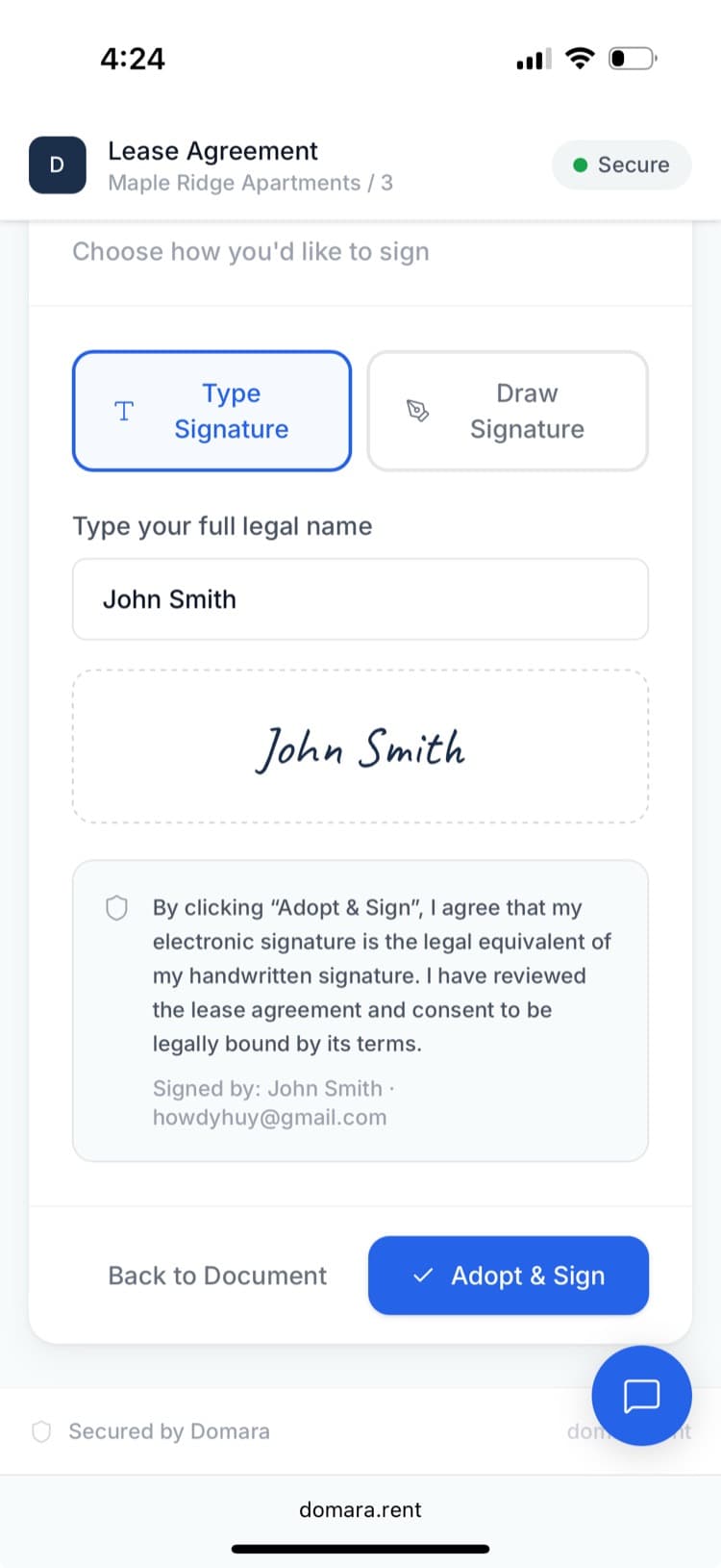
Built-in electronic signatures — no third-party tool required. Send leases, addendums, or any document for signing. Your tenant signs from their phone or computer. You get a fully executed PDF with timestamps and IP addresses.
How it works
Three steps. That's it.
Upload or generate a document
Use a lease from the AI generator, upload a PDF, or start from any document.
Add signature fields and send
Place signature and date fields where you need them. Hit send.
Tenant signs from any device
They get an email, open it on their phone or computer, and sign. You get the executed PDF.
What you get
Everything included. No add-ons. No upgrade walls.
Drag-and-drop fields
Place signature, date, and initial fields exactly where you need them.
Works on any device
Tenants sign from their phone, tablet, or computer. No app download.
Automatic reminders
Domara sends email reminders so you don't have to chase signatures.
Full audit trail
Timestamps, IP addresses, and signing order — legally defensible.
Signed PDF download
Download the fully executed document as a PDF anytime.
Multi-party signing
Multiple signers on one document. Each gets their own signing link.
Works great with
Domara isn't a point solution. It's a platform.
AI Lease Generator
A state-specific lease in minutes. Not hours. Not $500 in lawyer fees.
Addendums
Change the lease terms without rewriting the whole thing.
Document Storage
Leases, receipts, insurance, notices — organized and always accessible.
Try Domara Free
No credit card required. Set up in under 5 minutes. Cancel anytime.
Get Started FreeFree forever. Pro from $12/mo. Everything included. No per-unit fees.