Late Fees
Set your rules. Domara enforces them. No awkward conversations.
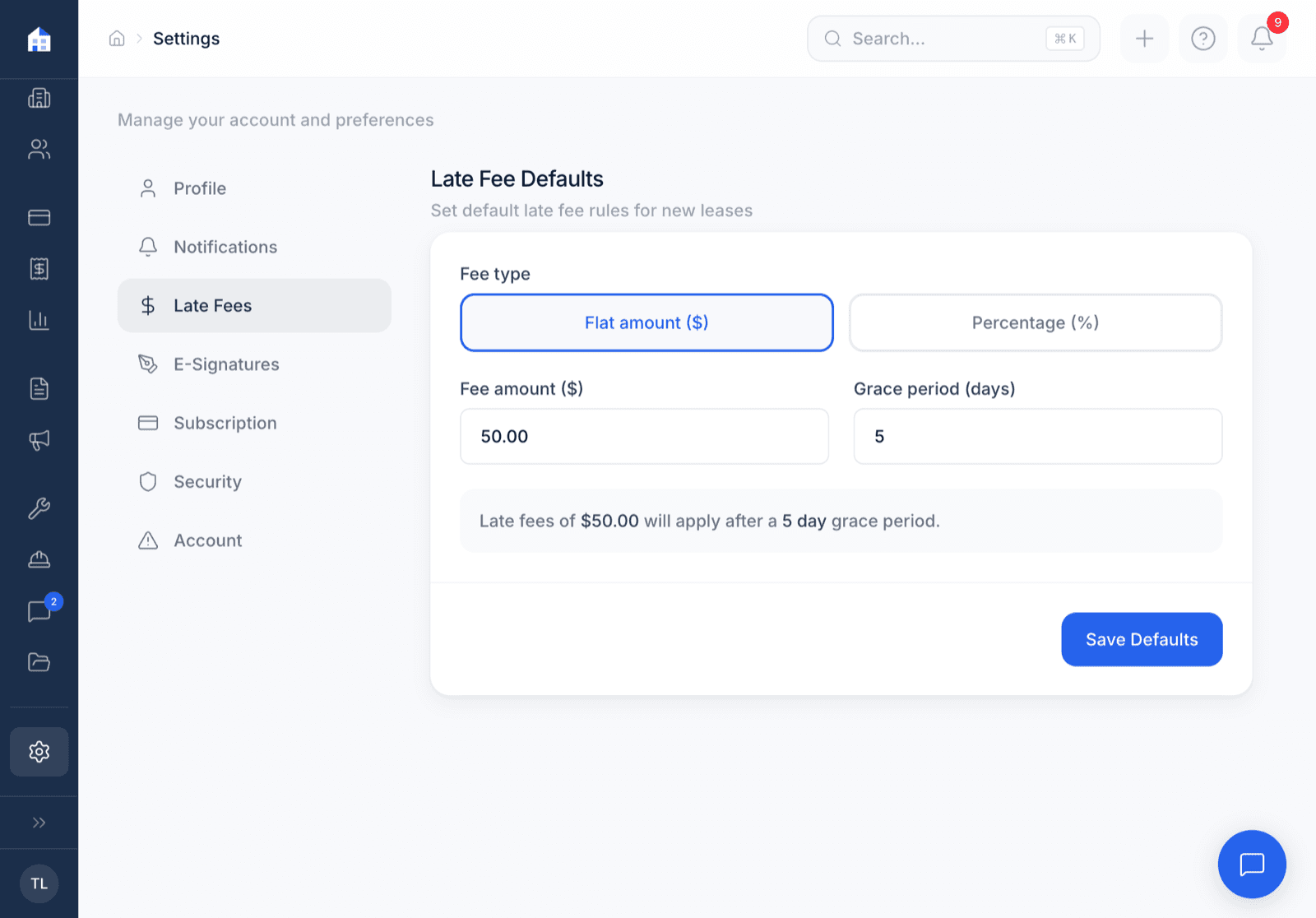
Define your late fee policy — flat fee, daily fee, or both, with a grace period. When rent is overdue, Domara auto-applies the fee and notifies your tenant. You don't have to be the bad guy. The system handles it.
How it works
Three steps. That's it.
Set your late fee rules
Flat fee, daily accruing, or both. Set a grace period (e.g., 5 days after due date).
Domara checks nightly
Every night, the system checks for overdue rent. If past the grace period, the fee applies.
Tenant gets notified
An email notification tells them the fee was applied. No awkward text from you.
What you get
Everything included. No add-ons. No upgrade walls.
Flat or daily fee
A one-time flat fee, a daily accruing fee, or both. Your call.
Configurable grace period
Set how many days after the due date before the fee kicks in.
Automatic nightly enforcement
Runs every night. No manual intervention needed.
Tenant email notification
Tenants get an email when a late fee is applied. Transparent and automatic.
Late fee history
Track which tenants were late and how often. Useful for lease renewal decisions.
Pairs with AI Notices
Generate a formal late rent notice if the situation escalates.
Works great with
Domara isn't a point solution. It's a platform.
Collect Rent
ACH or card. Autopay or one-time. No more checks in the mail.
AI Notices
Late rent notice, lease violation, move-out — AI drafts it for your state.
Tenant Messages
One place for every tenant conversation. Not your text messages.
Try Domara Free
No credit card required. Set up in under 5 minutes. Cancel anytime.
Get Started FreeFree forever. Pro from $12/mo. Everything included. No per-unit fees.